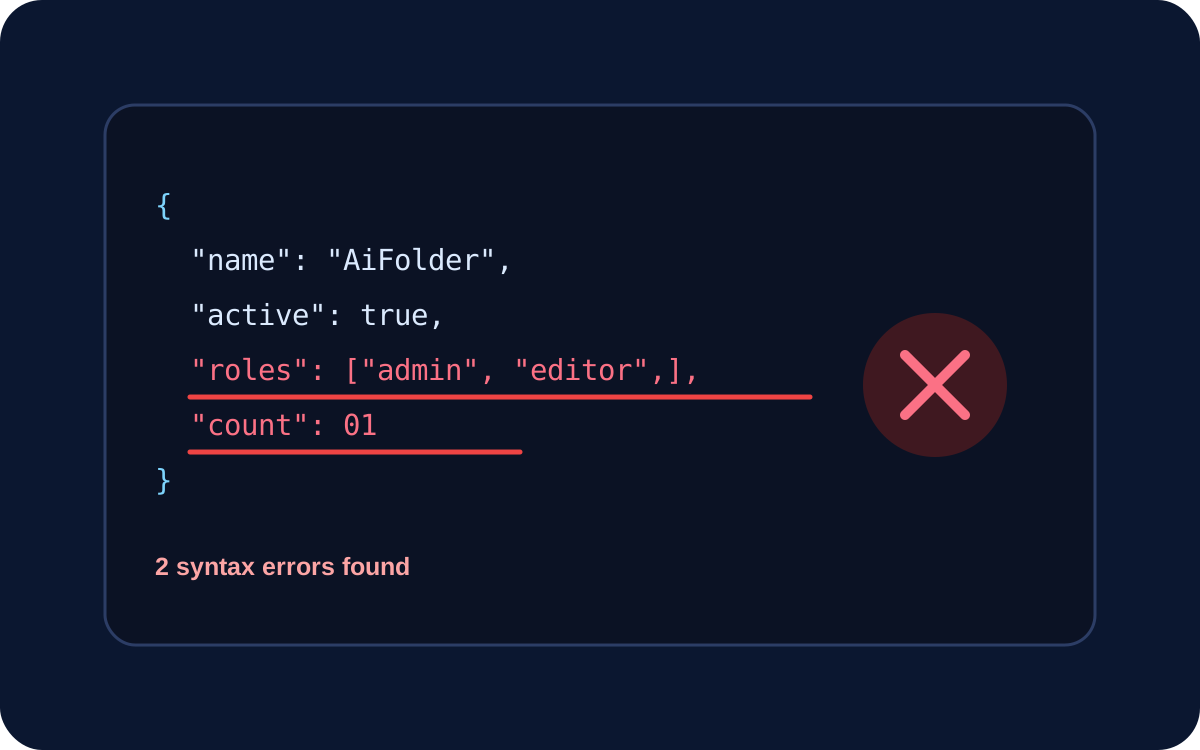
Most JSON parse errors come from a small set of syntax mistakes: trailing commas, single quotes, unquoted property names, missing separators, comments, invalid numbers, bad escapes, or language-specific values such as undefined. The fastest debugging loop is to preserve the original payload, fix the first reported syntax error, and parse again.
Important: formatting and repairing are different operations. A formatter can safely change whitespace around valid JSON; repairing malformed data may require guessing what the author intended.
JSON is stricter than a JavaScript object literal
JSON resembles JavaScript object syntax, but strict JSON requires double-quoted property names and strings, does not allow comments, and does not allow trailing commas. RFC 8259 defines JSON values as strings, numbers, objects, arrays, true, false, or null.
// JavaScript-like, not JSON
{ name: 'AiFolder', enabled: true, }
{
"name": "AiFolder",
"enabled": true
}1. Trailing commas
{"active":true,} and [1,2,3,] are invalid JSON. Remove the final comma before the closing brace or bracket.
2. Single quotes
JSON strings use double quotes. Change {'name':'AiFolder'} to {"name":"AiFolder"}. Do not blindly replace every apostrophe because apostrophes can legitimately occur inside values.
3. Unquoted property names
{name:"AiFolder"} is not valid JSON. Property names are strings and must be quoted: {"name":"AiFolder"}.
4. Missing commas
If a parser points at the beginning of the next property, inspect the previous value. Two object members or array elements need a comma between them.
5. Missing braces or brackets
Nested API payloads are easy to break when an opening [ is closed with }, or a closing delimiter is missing. Reduce the payload to the smallest failing structure, balance delimiters, then format it.
6. Comments in strict JSON
Standard JSON has no // or /* */ comment syntax. JSONC and other configuration formats may extend JSON, but a strict API endpoint or JSON.parse() should not be expected to accept comments.
7. Invalid numbers
Values such as 01, 1., NaN, and Infinity are not valid JSON numbers. Serialize a supported numeric value or define an explicit application convention.
8. JavaScript and Python literals
JSON uses lowercase true, false, and null. JavaScript undefined and Python True, False, and None are not JSON tokens. Do not automatically replace every missing value with null; null and an absent property can have different API meanings.
9. Invalid escaping
Backslashes start escape sequences. A Windows path may need to appear as "C:\Users\Dan\file.json". When JSON is embedded in a source-code string, remember that the host language may add a second escaping layer.
10. Extra content after a JSON value
{"id":1}{"id":2} contains two adjacent JSON values, not one JSON document. If the source intentionally emits one JSON object per line, it may be NDJSON/JSON Lines and should be parsed as that format.
A practical debugging workflow
- Preserve the original payload.
- Confirm the response is actually JSON; an HTML error page often starts with
<. - Validate the smallest failing input.
- Fix the first parser error before chasing later positions.
- After syntax passes, validate schema and business rules separately.
Use the AiFolder JSON Formatter to format and validate JSON. A syntactically valid object can still violate an API contract, so treat syntax, schema, and business validation as separate layers.
Frequently asked questions
Why does valid JavaScript fail as JSON?
JavaScript object literals support syntax that JSON does not. Serialize application data with JSON.stringify() rather than manually converting source syntax.
Can a formatter automatically fix invalid JSON?
A repair tool can attempt it, but repair may infer intent. Review repaired output before using it for configuration, authentication, billing, or other consequential data.
Why does JSON parse but my API rejects it?
Parsing only proves syntax validity. Required fields, types, enums, formats, authorization, and business rules are separate checks.
Sources
Technical rules were checked against RFC 8259 and MDN's JSON.parse() error documentation on September 17, 2026.