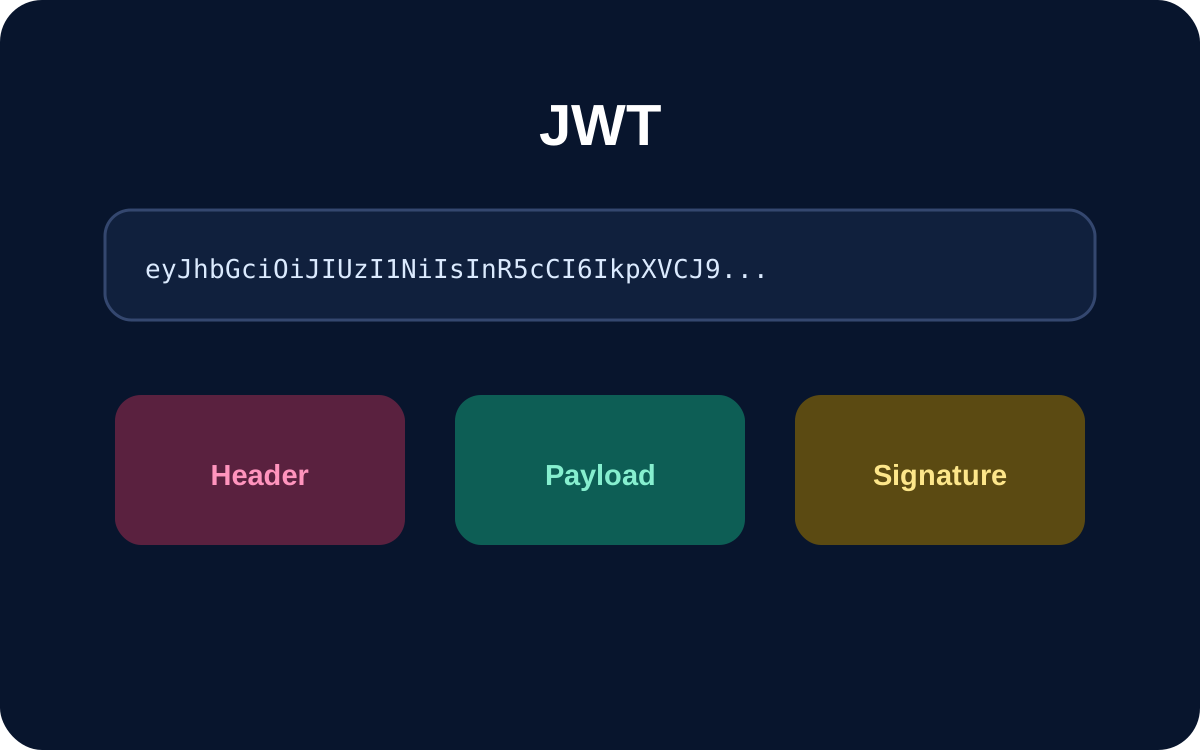
You can decode the readable header and payload of a typical signed JWT without a secret key because those segments are Base64URL-encoded, not encrypted. Decoding tells you what a token claims; it does not prove the token is authentic or acceptable.
Security rule: decode to inspect; verify before you trust. A forged token can contain perfectly readable claims.
What is inside a JWT?
A commonly encountered signed JWT has three dot-separated segments: header.payload.signature. The first is a JOSE header, the second contains claims, and the third carries signature data. Merely displaying the signature segment does not verify it.
How to decode a JWT safely
- Open the AiFolder JWT tool.
- Use a sanitized development token rather than a production bearer credential.
- Inspect the decoded header and payload.
- Check issuer, audience, subject, and timestamps for debugging.
- Treat all decoded values as untrusted until your application completes cryptographic and semantic validation.
Decoding vs verification
Decoding asks: what does this token say?
It helps you see why an API thinks a subject is user_123, which audience is present, or whether an exp timestamp looks wrong.
Verification asks: should I trust it?
RFC 8725 recommends validating cryptographic operations, restricting algorithms, and applying issuer, audience, and application-specific validation. A successful Base64URL decode proves none of those things.
Claims developers commonly inspect
iss — issuer
Identifies the issuer. Validation should compare it with the issuer your application expects.
sub — subject
Identifies the subject the claims concern, often a user or service identifier.
aud — audience
Identifies intended recipients. A correctly signed token intended for a different service can still be unacceptable.
exp — expiration
Represents the time after which the JWT must not be accepted. A future exp value does not make an unverified token trustworthy.
nbf and iat
nbf identifies when acceptance may begin; iat records when the token was issued.
Worked debugging sequence
- Decode the token and inspect the expected claims.
- Require the expected token type and allowed algorithms.
- Resolve a trusted verification key.
- Verify the cryptographic signature.
- Validate issuer, audience, expiration, and not-before rules.
- Only then use authorization claims such as roles.
Do not put secrets in readable JWT claims
A signed JWT normally protects integrity, not confidentiality. Do not put passwords, private API keys, or database credentials in a readable payload. The complete bearer token can itself be sensitive because possession may authorize requests.
Frequently asked questions
Can I decode a JWT without a secret?
Yes, for the readable header and payload of a typical signed JWT. A key is needed for cryptographic verification, not basic inspection.
Is a JWT encrypted?
Not necessarily. JWT can be signed and/or encrypted depending on the JOSE construction.
Can I trust a role after decoding?
No. Treat claims as untrusted until the required signature and claim validation succeeds.
Is it safe to paste a production JWT into an online decoder?
Prefer a sanitized token. A bearer token may be a credential even when its payload is readable.
Sources
Checked against RFC 7519 and the JWT Best Current Practices in RFC 8725 on September 17, 2026.