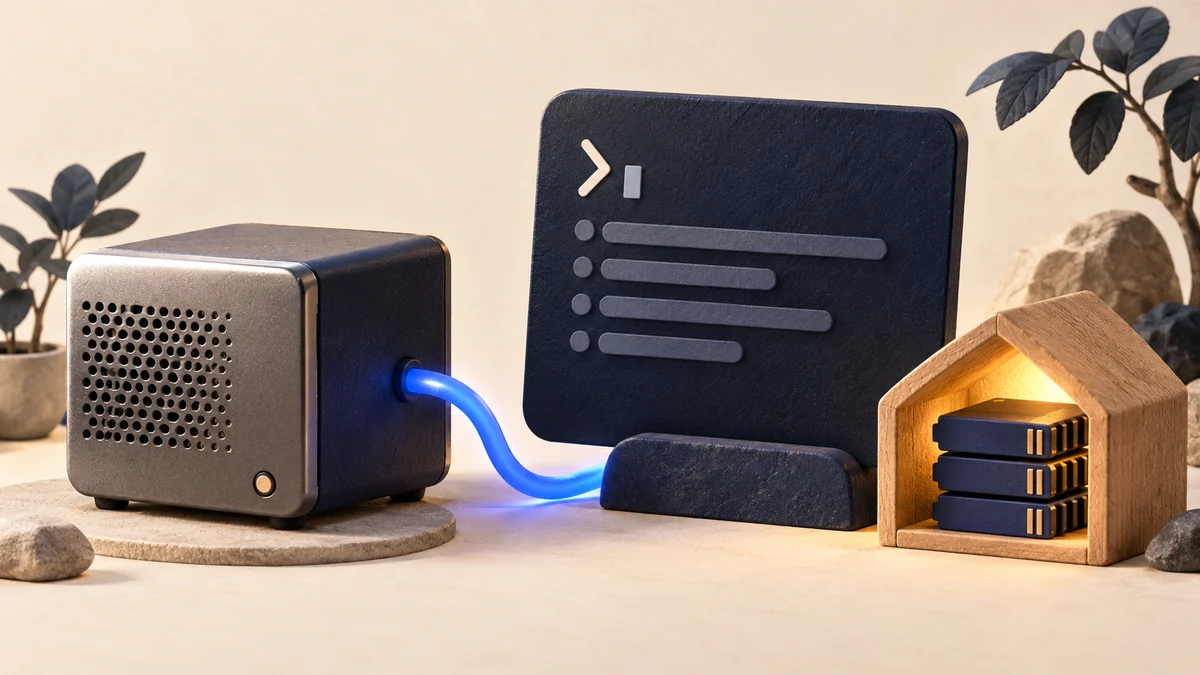
Original AiFolder conceptual illustration; not a capture of the GitHub Copilot interface. Updated October 8, 2026 · Documentation-based technical guide · No local-device benchmark completed.
What changed in Copilot CLI on October 7?
GitHub announced that, starting with Copilot CLI version 1.0.94-0, developers can discover compatible Ollama models directly from the /model picker. The Ollama service must already be running and the model must already be installed. Choosing a discovered model does not download it or restart the CLI. This improves an existing capability: Copilot CLI has supported user-supplied local model endpoints since April 2026.
This guide summarizes the officially documented workflow, not a claim that AiFolder has completed its own hardware performance tests. The main sources are GitHub's October changelog and its model-provider guide.
Verify the local service before choosing the model
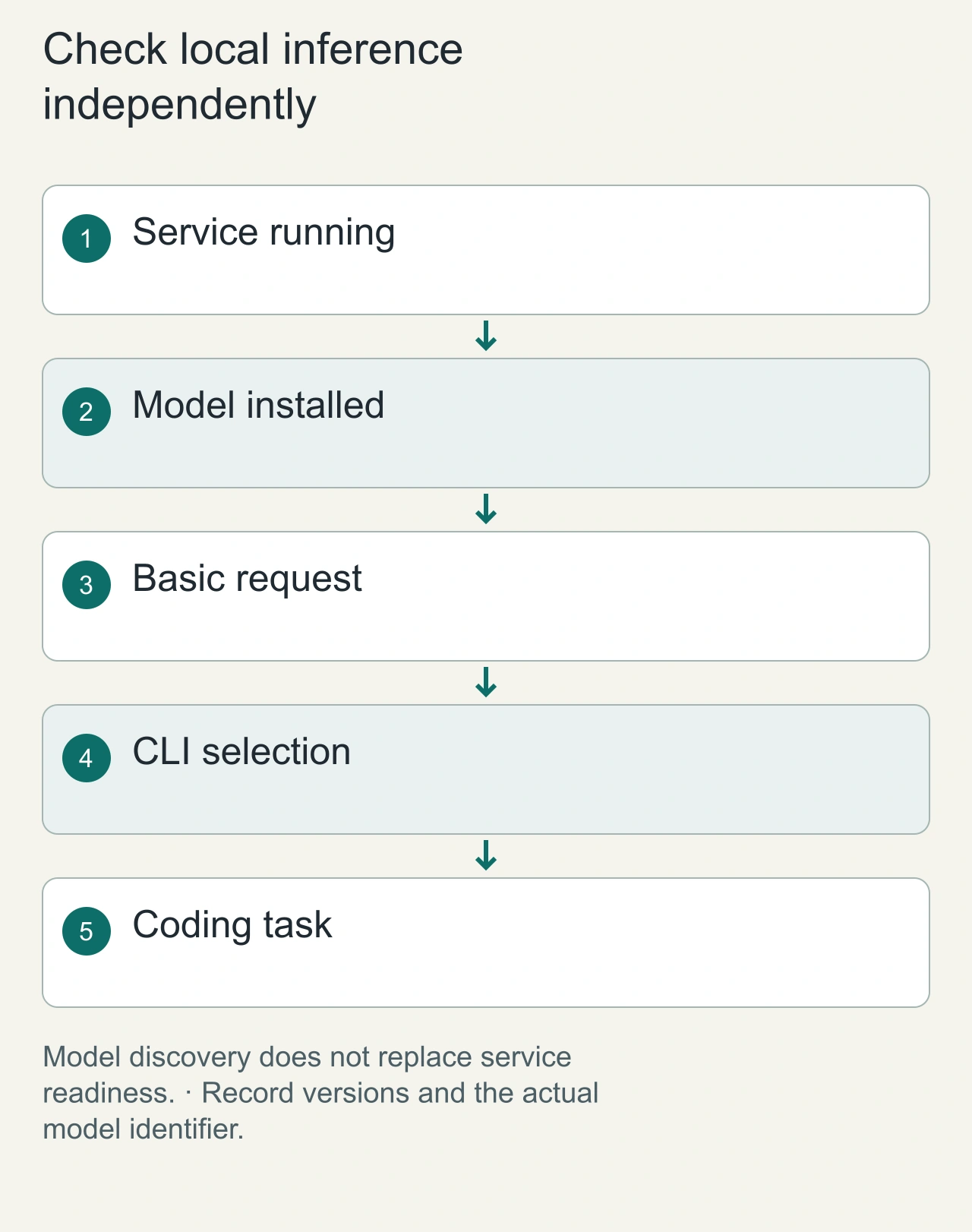
GitHub's current changelog describes discovering compatible Ollama models from the Copilot CLI model picker. Discovery makes selection easier, but the local inference service and model must still exist. Begin with a small request to the local service before diagnosing the coding agent. If that request fails, changing the repository prompt will not repair a missing model, unavailable service, or incompatible endpoint. Keep the service readiness check distinct from the agent's ability to execute a useful coding task.
For an illustrative setup, install the intended model through your approved local workflow, start the service, confirm the model is listed, and then select it in the CLI. Record the CLI version, model identifier, service configuration, and hardware. Model names and CLI options change, so follow the current GitHub and Ollama documentation rather than copying an undated command block. We have not completed a local-device benchmark for this guide; the diagrams describe the configuration path and the observations a real run should record.
Prerequisites
- A recent version of the GitHub Copilot CLI, supporting Ollama discovery.
- An installed and running Ollama service.
- A downloaded model with working streaming and tool/function calling; support differs by model.
- Sufficient memory for the model's quantization and context window.
- A disposable test repository containing small source files and unit tests. GitHub recommends a large context window for the best coding-agent experience. A model that answers chat prompts may still be incompatible with a tool-using agent.
Choose an Ollama model inside the CLI
First, confirm the local Ollama service is running and list the models already installed. Then start Copilot CLI and enter the following command:
/model
Open the model picker, review the discovered Ollama provider and local endpoint, select a compatible model and choose whether to use it immediately or add it without switching. GitHub's announcement describes both options. If nothing is discovered, inspect the CLI version, Ollama process, provider configuration and whether the selected model supports required capabilities.
Local inference does not make every tool action local
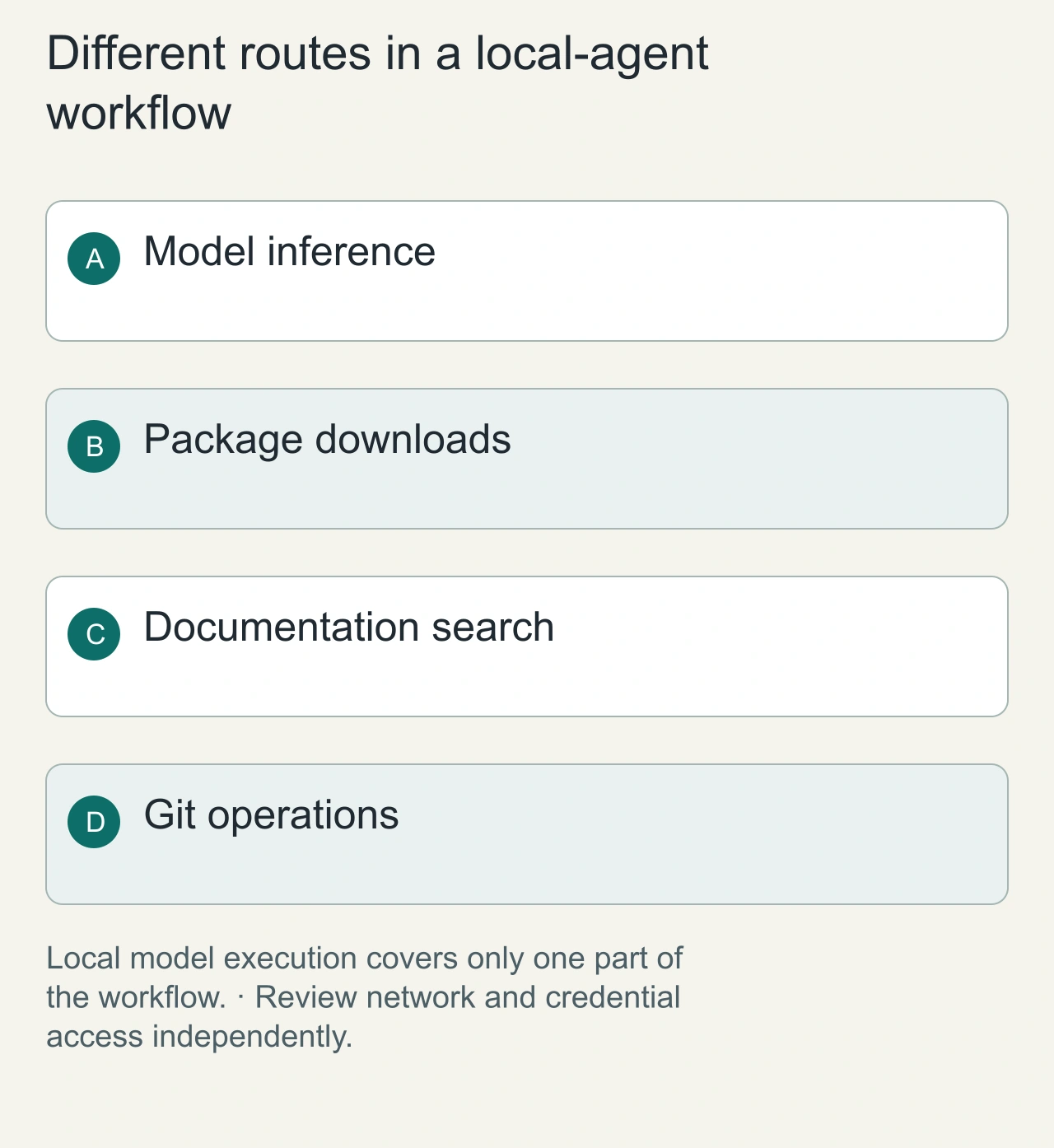
The model can run on your machine while the agent still downloads dependencies, queries documentation, or interacts with a remote Git service. Trace these routes separately. In a hypothetical bug fix, inference may stay local but a package manager can still make network requests, and the agent can still read files or use credentials available to its tools. If your goal is data locality, identify exactly which inputs remain local and which operations are allowed to contact another service.
A model endpoint also needs its own exposure policy. A service intended for one machine should not become reachable to an entire network accidentally. Use the relevant service documentation to verify the configured binding and access behavior. Compare a local and hosted run with the same task scope, tools, and acceptance condition; otherwise an apparent privacy or speed comparison may actually reflect different tool permissions. The cover is a conceptual illustration of local inference, not a screen capture proving a particular network configuration.
Another option: bring your own model provider
GitHub also supports manually configuring an OpenAI-compatible endpoint, such as a locally running Ollama instance, using its model-provider configuration. This older integration is useful for headless sessions or for understanding exactly which model endpoint is used. Verify the parameters against GitHub's BYOK setup documentation; use the model name returned by your own Ollama installation rather than guessing a model ID. Cloud-hosted and local model providers have different privacy and networking characteristics.
Does local inference mean fully offline?
Not necessarily. Selecting a local model does not automatically change all authentication, telemetry, provider or tool-communication settings. GitHub describes a separate offline mode, with limitations documented in its authentication guide. A local inference endpoint and an agent's tool-execution privileges are separate concerns. A tool can access files or invoke network services if permissions allow it. Developers working with confidential repositories should verify actual endpoint selection, software behavior and appropriate sandbox controls.
What should developers measure?
A controlled local-versus-cloud evaluation should include:
- Task correctness: whether the repository's acceptance tests pass after a small bug fix.
- Total task time: including model generation, tool actions, retries and tests.
- Memory and disk: peak memory use and model installation size on the exact hardware.
- Agent reliability: number of incorrect tool calls, stalled sessions and manual interventions.
- Data movement: whether expected local and remote services are contacted in a test environment. Use a consistent repository snapshot, the same coding prompt and comparable permissions. Keep the raw diff, unit test output, model identifier, CLI version and configuration with each result. AiFolder has not run or published this benchmark yet, so this article does not provide fabricated speeds or rankings.
Where local models are useful
Local models can be appealing for experimenting with custom coding workflows, learning about inference, evaluating model control and reducing dependency on an external inference API. They also require operational effort: installation, updates, hardware resources and troubleshooting. Remote coding models may be preferable for large-context, complicated tasks or integrated hosted workflows. There is no universal winner; compare verified task completion and total operational cost.
Measure a finished coding task, not a warm response
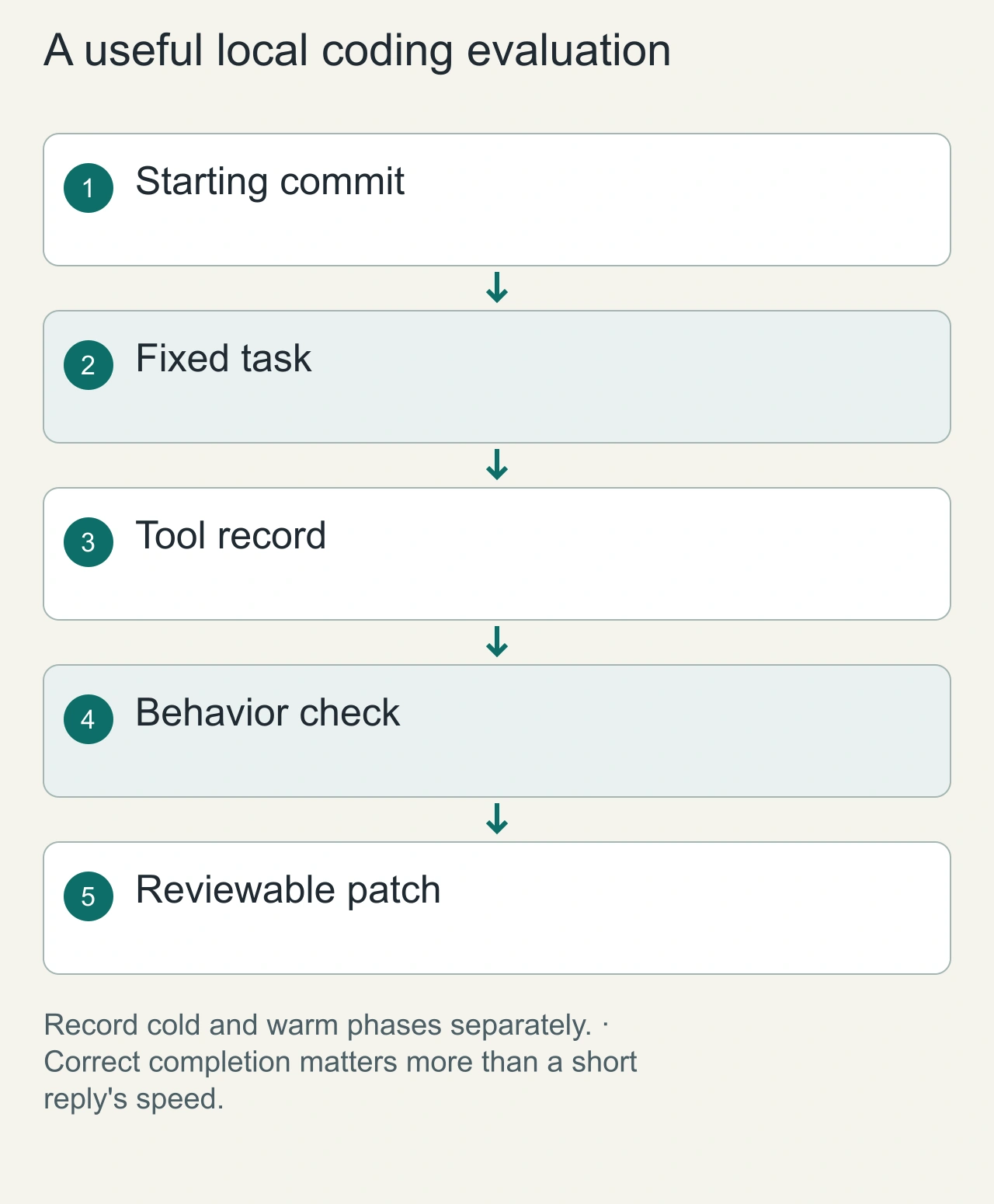
A local model can answer a short prompt quickly yet struggle with a repository task involving several tools and a long context. Use one bounded repair with a known acceptance condition. Record service startup, model loading, task duration, tool errors, human interventions, and the resulting patch. Distinguish the first request from a warmed-up session and keep the context setting constant. An inference-speed number alone says little about whether the coding task was completed correctly.
For example, ask the agent to fix a parser behavior covered by a small fixture and inspect both the source change and the regression check. A test that only asserts the new implementation's own output gives weak evidence; it should encode the expected input contract. Save the starting commit so the task can be repeated after a model or CLI update. Report the hardware and complete configuration with any future result. Until that experiment is run, the practical benefit established here is the documented local-model integration path, not a claim that it outperforms hosted coding models. Keep one successful local-service response as a baseline when diagnosing later CLI integration failures.
Frequently asked questions
Is Ollama support new in October 2026?
No. Local model-provider support existed earlier; October's change is the in-CLI model discovery experience.
Can any local model work?
No. GitHub requires tool calling and streaming, and practical coding tasks need sufficient context and reliability.
Does local inference guarantee that no data leaves my computer?
No. Review the CLI's documented offline behavior, configured provider endpoint, tool permissions and any separately running services.
Has AiFolder run benchmarks on a Mac mini?
Not for this article. The setup behavior is source-verified, while performance testing remains an explicitly uncompleted step.
AiFolder resources
Explore the AI tools directory, the developer tools collection and our guide to coding-agent sandboxing.
Sources
- GitHub Changelog: Discover local models in GitHub Copilot CLI, October 7, 2026
- GitHub Docs: Using your own LLM models in Copilot CLI
- GitHub Docs: Authenticating Copilot CLI
- Checked: October 8, 2026. No original local-device test results claimed.