

Freshness check: September 17, 2026. This guide only lists tools whose public pages were reachable during research and explicitly offered use without creating an account. Limits and signup policies can change, so re-check before each refresh. “Tested” here means the no-signup access path and published limits/features were inspected; it does not imply a full benchmark of every model output.
Quick answer
If you want a free AI tool without creating an account, the strongest options are usually focused tools rather than the biggest general-purpose assistants. In our September 2026 check, AIPhoto.net, FreeArtGen, Free Image Maker, AIArtGen, ngini, FaddyAI, and PurvenHub all presented an immediate no-signup workflow on their public pages. The trade-off is that “free” can mean different things: some tools have daily quotas, some are ad-supported, and some make generated content public by default. The important question is therefore not just “is it free?” but what can you do before signup, what is the limit, and what happens to your input/output?
Start with the job, not a list of free websites
An account-free tool is useful when you need one narrow result quickly: remove a background from a sample image, turn a short note into an outline, or inspect a small block of public text. Before choosing a service, write down the input, the expected output, and the condition that would make the result unusable. For a background remover, that condition might be damaged hair edges or a watermark across the subject. For a summarizer, it might be an invented claim. This makes the evaluation specific enough to finish in minutes.
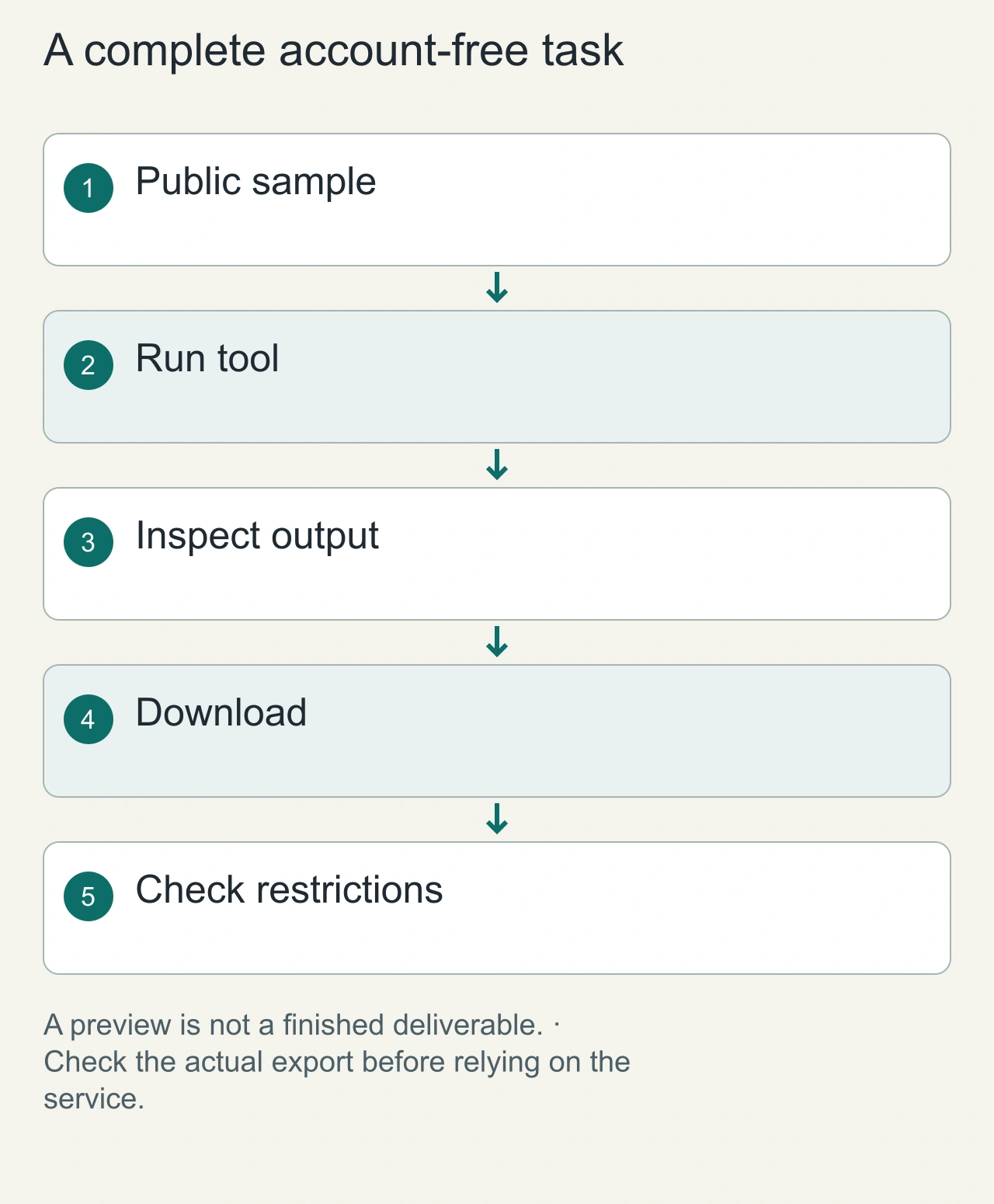
Consider a student preparing a club poster. The sensible sequence is to use a non-sensitive sample image, inspect the preview, download the result, and check its dimensions and export restrictions. A site that accepts an upload without login but requires an account for the usable download has not completed this workflow. Treat the earlier access check as a dated observation, not a promise about today's policy. We have not rerun a comparative output benchmark for this refresh; the workflow below helps you make your own small, repeatable check.
How we evaluated no-signup AI tools
We used four practical checks rather than copying vendor marketing lists:
- Account friction: could a visitor reach the input/generation interface without first creating an account?
- Free-limit clarity: did the site disclose a quota, credit system, or unlimited claim?
- Output friction: did the public page disclose watermarks, download restrictions, or paid-credit requirements?
- Privacy caveats: did the site disclose anything important about public prompts, storage, analytics, or uploads? We excluded tools when the available evidence was too vague to support a useful recommendation. We also treat “unlimited” and commercial-use statements as vendor claims unless independently verified.
Best free AI tools without signup we found
| Tool | Best for | No-signup evidence | Important caveat |
| [AIPhoto.net](http://AIPhoto.net) | AI images | Public page says no account needed | 5 free images/day |
| FreeArtGen | AI art | No account or paid credits required | Prompt-only requests are public by default |
| Free Image Maker | Images + reproducible seeds | No signup/email required | Vendor says no daily credit limit |
| AIArtGen | Trying multiple image/video models | Public generator says no signup/email/card | Ad-supported free tier |
| ngini | Images and broader AI workspace | No account required to start | Re-check free limits before heavy use |
| FaddyAI | Quick text/gaming/social generators | Site advertises instant no-account access | Quality varies by task-specific generator |
| PurvenHub | Simple writing/business generators | 35+ tools presented without signup | Ad/analytics disclosures apply |
1. AIPhoto.net — best when you only need a few images
AIPhoto.net is a useful example of a transparent free tier. Its current public page says visitors can create 5 free images per day without an account and download HD output. That is more useful than a vague “free” badge because you know the constraint before investing time in a prompt workflow. Choose it when you need a small number of generated images and want to avoid account setup. Do not interpret the daily allowance as unlimited use.
2. FreeArtGen — useful, but understand the public-prompt default
FreeArtGen says it requires no account or paid credits. The privacy detail is more interesting: its page says prompt-only requests are shared anonymously in Examples by default, while reference-image requests stay private. That makes it a good reminder that “no signup” does not automatically mean “private.” Avoid entering confidential concepts, client information, unreleased product names, or personal data into a prompt that may become publicly visible.
3. Free Image Maker — good for seeds and flexible image sizes
Free Image Maker currently exposes its generator without an account and says there are no daily credit limits. It also returns a seed for generated images, which can be useful when you want to reproduce a result with the same prompt and seed. The page offers multiple aspect-ratio presets and describes two image-generation modes, including an anime-oriented model. Its “unlimited” availability is a vendor claim and should be re-checked during future refreshes rather than treated as permanent.
Separate account friction from privacy and control
No signup describes an access path. It says little about what happens to the material you submit, whether cookies identify your browser, or how long an uploaded file remains available. For public artwork experiments, that may be an acceptable tradeoff after reading the service policy. For client documents, personal photographs, private source code, or financial records, the absence of a login screen is not a reason to upload them. Keep those tasks within a service and environment whose data handling you have deliberately chosen.
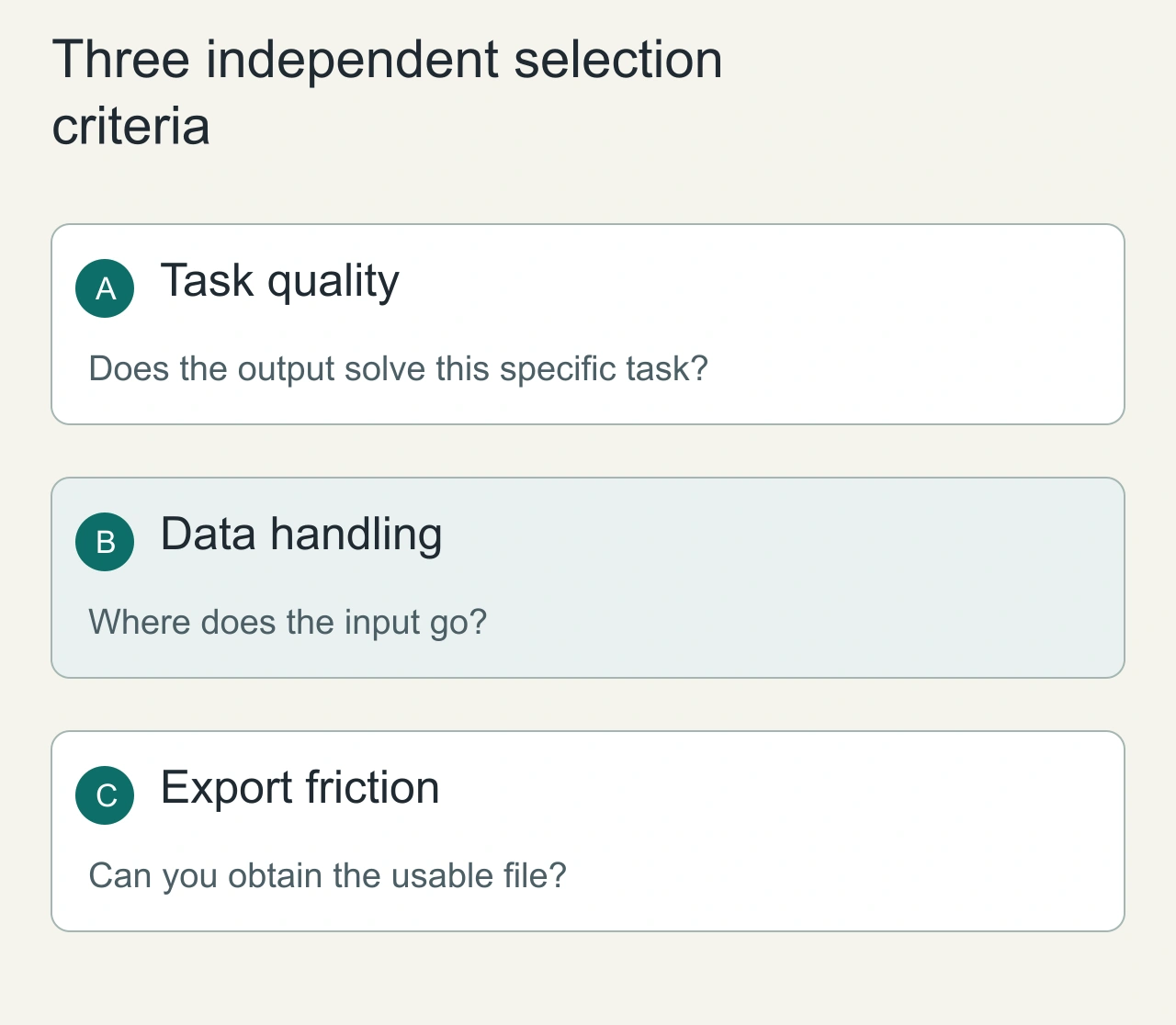
A browser-only utility can be a better fit for simple transformations that do not require a generative model. Formatting JSON, calculating an image dimension, and converting a known text encoding are deterministic jobs. If a utility says processing occurs locally, inspect its documentation and browser network behavior before treating that as verified. Compare three dimensions separately: task quality, data exposure, and export friction. One convenient free option can perform well on one dimension and poorly on another; collapsing all three into a single best-tool label hides that difference.
4. AIArtGen — useful for exploring several model families
AIArtGen currently presents a no-signup, ad-supported interface and lists several image/video model families. This is useful when your goal is exploration rather than committing to one paid ecosystem. Model availability changes quickly in this category, so the durable recommendation is the workflow—not a promise that a specific model will remain free indefinitely.
5. ngini — broader than a single image generator
ngini's current image-generator page says visitors can start without signup, a credit card, or a watermark. It also positions the same workspace around coding, chat, video, music, and research tasks. This can reduce account friction when you want to experiment across tasks. As with any multi-tool AI service, check the current limits and privacy policy before sending sensitive work.
6. FaddyAI — quick task-specific generators
FaddyAI organizes a large collection around concrete tasks such as stories, gaming, social media, business, developer work, and academic use. Its current landing page explicitly promotes “No signup” and instant access. This kind of tool is most useful for low-risk, quick drafts. For factual, legal, financial, academic, or production-code output, treat generated text as a draft and verify it independently.
7. PurvenHub — simple low-friction text utilities
PurvenHub currently advertises more than 35 AI-powered tools without signup or premium tiers. Its public page also acknowledges analytics and advertising disclosures rather than equating no account with zero data collection. That distinction is useful: account-free access reduces registration friction, but browser analytics, ads, server processing, and retention policies are separate privacy questions.
What “free AI tool” actually means
Free with a quota
AIPhoto.net is the clearest example in this check: the page states five free images per day. A visible quota is not necessarily a downside; it can be more predictable than an “unlimited” claim that later changes.
Free and ad-supported
Some services fund inference with advertising. That can remove a payment wall, but users should still review privacy/analytics disclosures.
Free without an account, but not necessarily private
FreeArtGen demonstrates why this distinction matters. An account may be unnecessary while prompt content can still be displayed publicly. Never use “no signup” as a proxy for “nothing is stored.”
“Unlimited” is freshness-sensitive
Several current tools describe their free use as unlimited. We record that as the site's current claim, not a permanent guarantee. GPU costs, abuse controls, queues, and business models can change quickly.
Which no-signup AI tool should you choose?
Choose by task rather than by the number of tools on a homepage:
- For a few AI images, start with AIPhoto.net because its daily limit is explicit.
- For art experiments without credits, FreeArtGen is easy to enter, but avoid sensitive prompt-only requests because of its public-example policy.
- For reproducible image experiments, Free Image Maker's seed workflow is useful.
- For trying different model families, AIArtGen or ngini provide broader interfaces.
- For quick writing/social/gaming generators, FaddyAI offers many focused entry points.
- For simple business and writing utilities, PurvenHub is a low-friction option.
Privacy checklist before pasting data into a free AI tool
Before entering private data, check four separate things: whether the prompt is sent to a server, whether it is stored, whether it can be displayed publicly, and whether it is used for training or analytics. A site requiring no account answers none of those questions by itself. For passwords, tokens, private API payloads, customer information, confidential source code, and unreleased business material, prefer a local/offline tool or a service whose data-handling terms you have explicitly reviewed.
Internal links to add on AiFolder
- Link free online utilities to
/toolswhen readers need deterministic tools rather than generative AI. - Link image-focused readers to
/tools/image-compressorand/tools/image-resizerafter they generate an asset. - Link developer readers to
/tools/json-prettifyfor JSON formatting that does not require an AI model. - When AiFolder's AI-directory category pages are production-ready, link each recommended tool to the relevant directory category rather than creating isolated blog traffic.
Build a fallback before a deadline
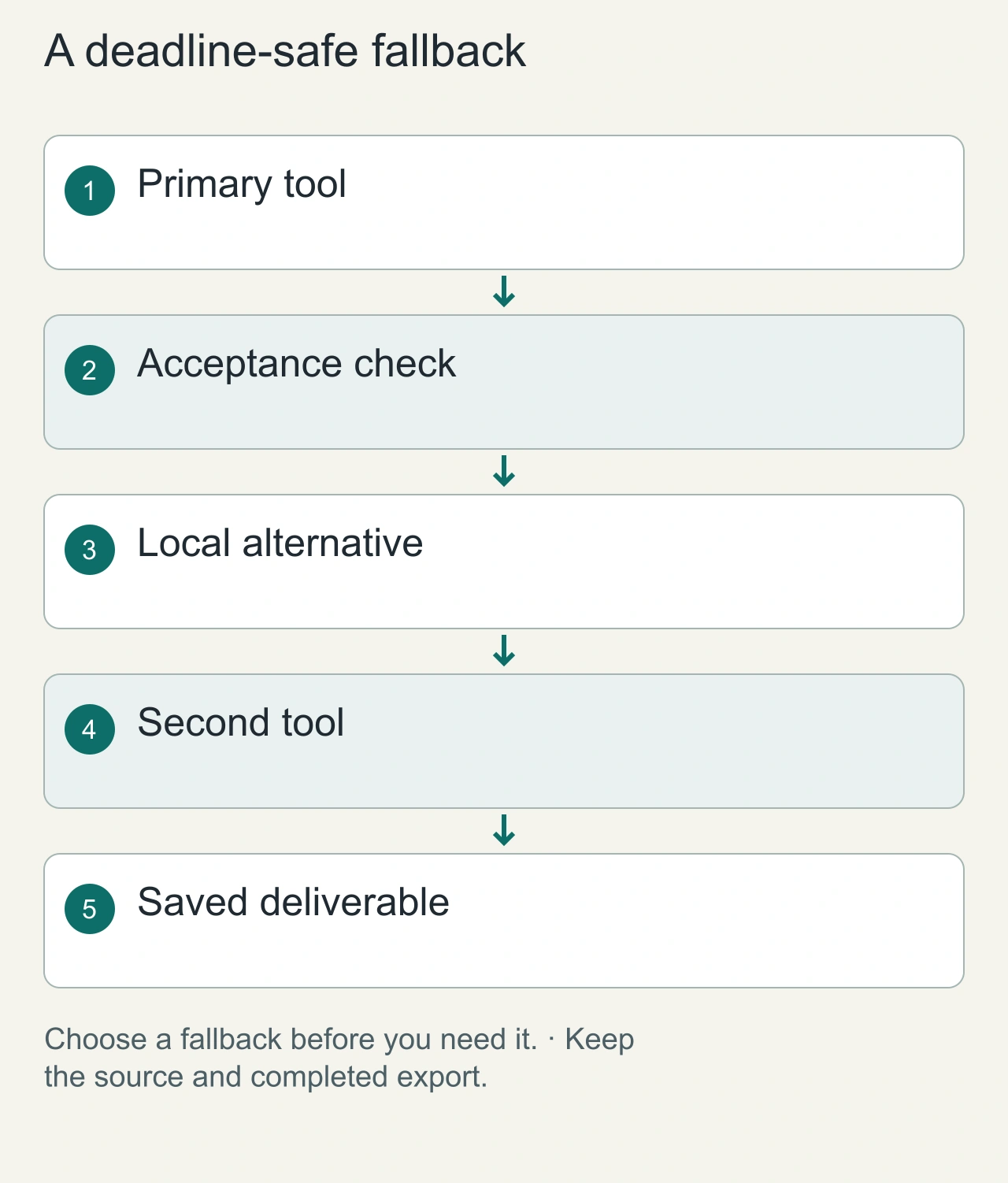
Free access frequently includes practical constraints such as queues, limited resolution, file-size caps, or a finite number of runs. Instead of discovering these on a delivery day, keep a small fallback plan: a second suitable tool, a deterministic local alternative, and the original source file. Record the date of your check alongside the output. A quick screenshot of the export settings is more useful than remembering that a website seemed unlimited last month. Do not assume the free tier permits every commercial use; examine the applicable terms.
For the poster example, the acceptance record can be just five lines: sample used, visible edge defects, final pixel dimensions, watermark status, and the relevant usage restriction. If the result needs twenty minutes of repair, include that time in the decision. A nominally free generator that produces an unusable file is less helpful than a modestly limited tool that finishes the job cleanly. Save a copy of the final image and keep the source separate so that a later website change cannot strand your project.
FAQs
Are free AI tools without signup really free?
Some are genuinely usable for free, but the limits differ. One tool may provide a fixed daily quota while another is ad-supported or claims unlimited use. Check the current limit before relying on it for a recurring workflow.
Does no signup mean the tool is private?
No. A tool can accept anonymous visitors and still process prompts on a server, retain logs, use analytics, or publish outputs. FreeArtGen, for example, currently says prompt-only requests are shared anonymously in its Examples area by default.
Can I use no-signup AI tools for commercial work?
Do not assume so from the word “free.” Check the current terms for the specific service and model, especially for client work, brand assets, and material you plan to sell.
Why don't you list ChatGPT, Claude, or Gemini here?
This guide is specifically about usable no-signup workflows. Large general-purpose assistants frequently change guest access, regional availability, quotas, and account requirements. A smaller list we can re-check is more useful than padding the article with famous names that do not consistently match the intent.
How often should this list be refreshed?
Monthly is reasonable for a no-signup AI list, and sooner after a major pricing or access-policy change. The highest-risk fields are free limits, model availability, watermark rules, and signup requirements.
Research notes and sources
Freshness check performed September 17, 2026 using current public pages and search results for “free AI tools no signup” and “AI tools without signup.” Search intent is strongly commercial/discovery-oriented: current results emphasize immediate access, no account, free limits, watermark/download conditions, and privacy. Sources checked:
- AIPhoto.net — 5 free images/day; no account needed; HD download.
- FreeArtGen — no account/paid credits; prompt-only requests public by default; reference-image requests private.
- Free Image Maker — no signup; no watermark; seed-based reproduction; current unlimited claim.
- AIArtGen — no signup/email/card; ad-supported free tier; multiple model families.
- ngini — no signup/card/watermark; broader AI workspace.
- FaddyAI — task-oriented AI collection; current no-signup positioning.
- PurvenHub — 35+ tools; no signup; advertising/analytics disclosure.
Editorial refresh rule
Re-check every listed service before the next publish refresh. Remove a tool if it adds a mandatory account wall, stops offering meaningful free use, redirects to an unrelated product, becomes unsafe/spammy, or its claims can no longer be verified from a current source.