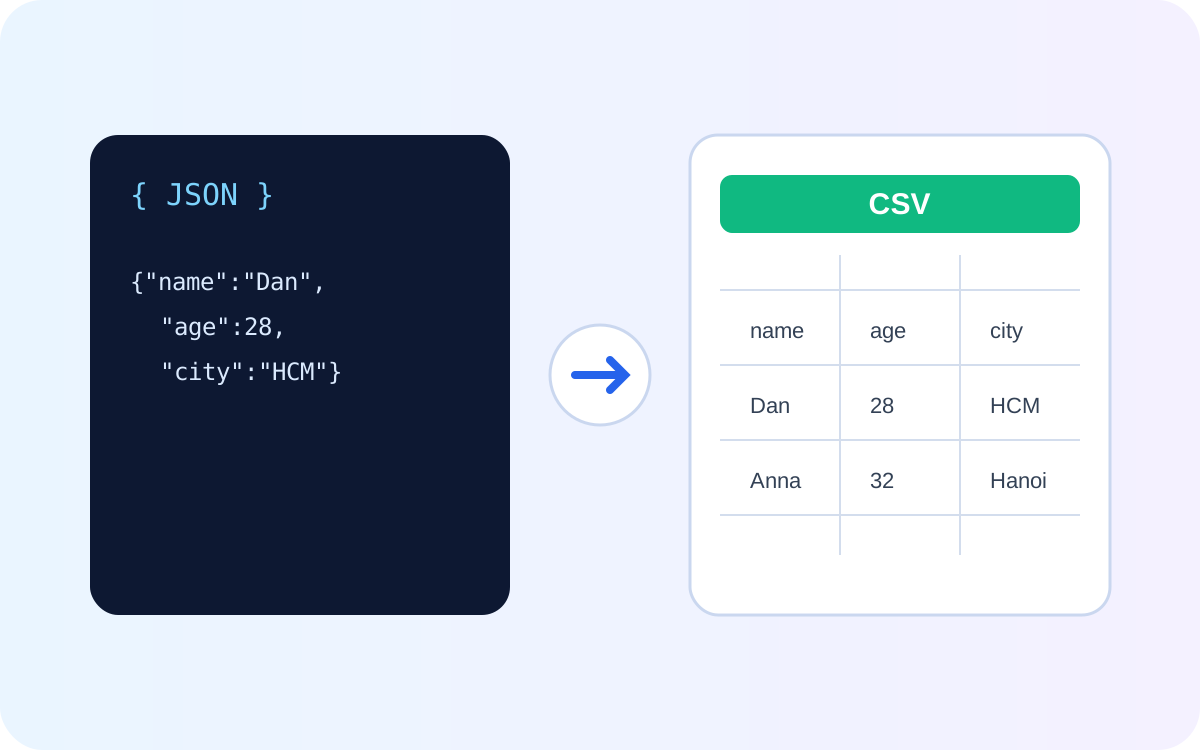
The cleanest JSON-to-CSV conversion starts with an array of similarly shaped objects. Each object becomes a row and each selected key becomes a column. The difficult cases are not basic conversion but nested objects, arrays, missing keys, commas, quotes, and deciding what should become a single spreadsheet cell.
A simple JSON to CSV example
[
  {"id":101,"name":"Mina","status":"active"},
  {"id":102,"name":"Kai","status":"paused"}
]
A natural CSV representation is:
id,name,status
101,Mina,active
102,Kai,paused
Try suitable datasets with the AiFolder JSON to CSV tool.
How CSV rows are structured
CSV looks simple, but fields containing commas, double quotes, or line breaks require quoting. RFC 4180 documents the common convention: a field may be enclosed in double quotes, and a double quote inside a quoted field is escaped by doubling it.
id,name,note
1,"Doe, Jane","She said ""hello"""
The real decision: what should the columns be?
Flat objects map naturally to rows. If records do not share identical keys, choose whether the union of keys becomes the header set and how missing values should appear. Empty text, a missing value, and the literal string null can mean different things downstream.
Nested objects need an explicit strategy
{"id":1,"user":{"name":"Mina","city":"HCMC"}}Possible strategies include flattening to columns such as user.name and user.city, serializing the nested object as JSON inside one cell, or exporting a related table. None is universally correct.
Arrays are even more context-dependent
For {"id":1,"tags":["api","json"]}, you might join values with a delimiter, serialize the array as JSON, or create one row per tag. Joining is convenient but becomes ambiguous when values contain the delimiter.
API response wrappers
Many APIs return {"items":[...],"page":1} rather than a root array. In that case, the records you want are probably under items. Exporting the wrapper as one row is rarely useful for spreadsheet analysis.
Practical conversion checklist
- Identify the record array.
- Choose stable columns.
- Decide how missing and null values should be represented.
- Choose a nested-object strategy.
- Escape commas, quotes, and line breaks correctly.
- Open a small sample in the target spreadsheet application before exporting a large dataset.
When CSV is the wrong output
CSV is a table. If your JSON represents deeply nested graphs, heterogeneous records, rich types, or relationships between several arrays, forcing everything into one table can lose meaning. Keep JSON or produce multiple related CSV files instead.
Frequently asked questions
Can every JSON document be converted cleanly to CSV?
No. Every JSON value can be serialized somehow, but not every structure has a useful one-table representation.
What happens to nested JSON?
It depends on the converter. Common choices are flattening, stringifying, or rejecting unsupported structures. Check the actual output before relying on a conversion workflow.
Will CSV preserve JSON types?
Not reliably. CSV cells are textual fields; spreadsheet software may also infer dates and numbers. Preserve the original JSON when type fidelity matters.
Sources
JSON structure was checked against RFC 8259 and CSV quoting conventions against RFC 4180. Search intent was refreshed September 17, 2026 around API JSON export, nested data, and spreadsheet conversion.