Original AiFolder conceptual illustration: agent tool execution within a policy boundary. Not a measured attack test. Updated October 8, 2026 · Security architecture guide · No live penetration test conducted. An AI coding agent is not just a chatbot. Once it can execute tools, it may read files, install packages, run shell commands, call local services and interact with Git repositories. That creates a different risk profile from a model that only generates text. The practical question is: what can the agent's tools touch if a prompt, retrieved document or generated command is wrong? On October 7, 2026, GitHub announced general availability of local sandboxing for GitHub Copilot CLI, the Copilot app, and VS Code sessions using Agent Host. The feature uses Microsoft eXecution Container (MXC) to apply a common policy through operating-system controls on macOS, Windows and Linux. GitHub says policies can restrict filesystem, network, Git credentials and certain local services; organizations may enforce managed policies. Official announcement.
What is an AI coding agent sandbox?
A sandbox is an execution boundary around actions taken by tools that an agent controls. It can prohibit reading unrelated files, writing outside an approved workspace or connecting to specific destinations even when the language model requests that behavior. Think of three distinct layers:
- Model context: the text, repository snippets and tool results the model receives. A sandbox does not automatically undo information already sent to a provider.
- Tool execution: scripts, shells, editors, package managers and local services that operate on the host or in an isolated process. This is the main sandbox enforcement target.
- Authorization: human approvals, enterprise policy, secret-management rules and access permissions. A sandbox works best when it reinforces these independent controls. Model choice and sandbox policy are separate. A local model is not automatically a restricted agent, and a cloud model may run tools inside a constrained sandbox.
Trace the actual execution path
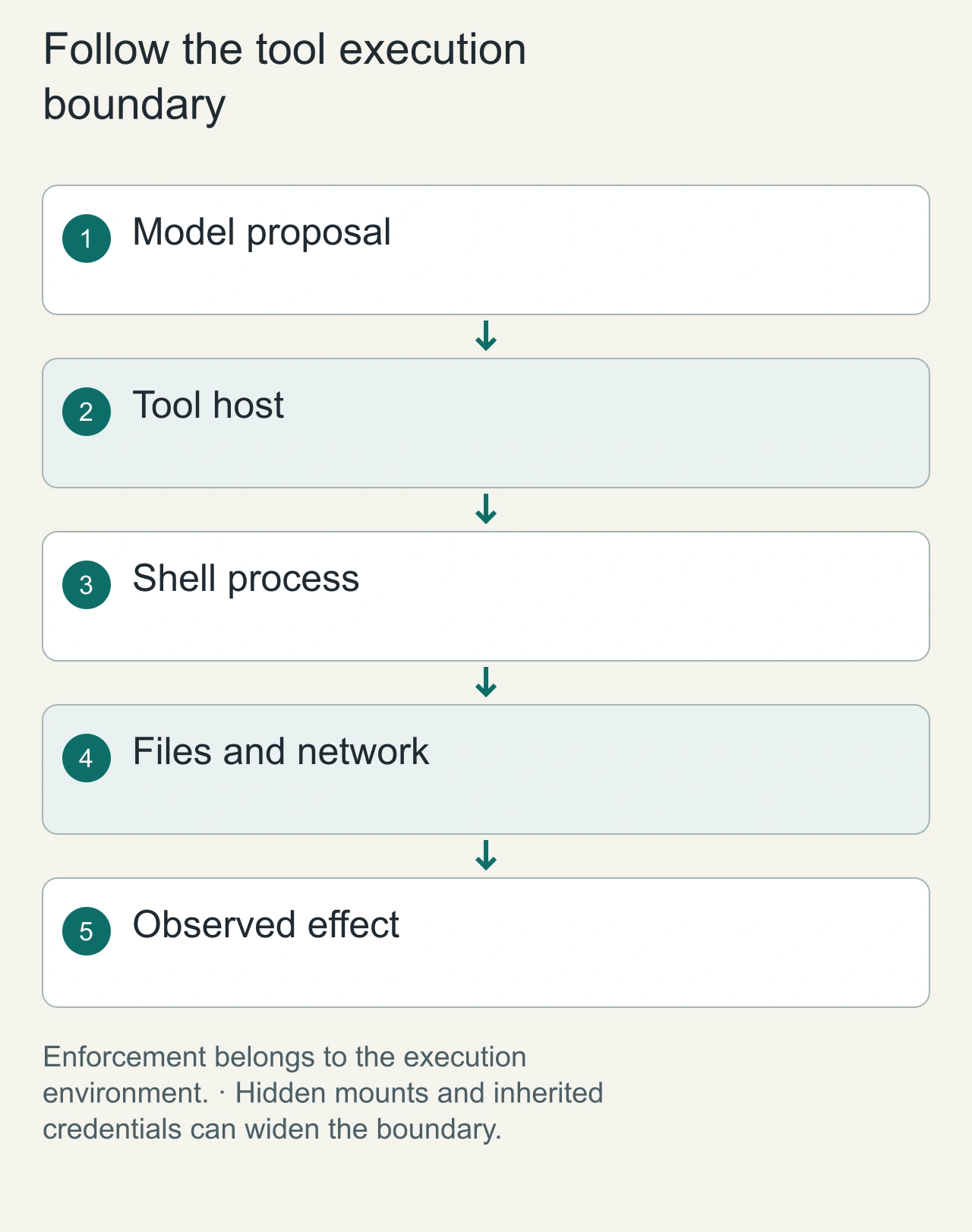
A coding agent can propose a command, but the tool host decides where that command runs. Begin a sandbox review with the path from model output to shell process, filesystem, network, and connected credentials. Consider an agent editing a dependency configuration in a disposable checkout. The visible workspace may be narrow, yet a mounted home directory, inherited environment variable, or exposed container socket can grant much broader access. The boundary you draw in a prompt is not necessarily the boundary enforced by the operating environment.
GitHub's current documentation and release material describe its sandboxing capabilities, while Docker's documentation explains container security considerations. Check the actual platform and settings you use; do not transfer a capability claim from one operating system or agent host to another. For the dependency example, record the allowed repository path, readable configuration files, permitted network destinations, and identity available to package installation. A reproducible scope record is more useful than a general claim that the task ran safely inside a sandbox.
Five practical risks to model in your policy
1. Reading files outside the workspace
A coding agent usually needs to inspect source and tests, but not your personal Documents folder, SSH private keys or unrelated project repositories. Start with a narrow approved workspace and explicit read restrictions.
2. Modifying unexpected files
Even harmless-sounding requests can trigger broad file rewrites. Restrict write access to the working repository, protect generated artifacts and require review of destructive operations.
3. Exposing credentials
Keep secrets out of prompts, sample code and logs. Avoid mounting cloud credentials or authentication tokens when the task does not require them. Test policies using synthetic keys only—never real production secrets.
4. Unrestricted network egress
Tools can send data over HTTP, install remote packages or query internal services. Apply an explicit outbound policy: deny by default where feasible, then allow narrowly required registries or APIs. Restrict access to localhost and private network destinations when appropriate.
5. Trusting third-party instructions
Repository comments, websites, package documentation and MCP outputs are untrusted inputs. Prompt-injection text can request actions outside the original user intent. Strong permission boundaries help contain the resulting tool action, but cannot guarantee that every misleading model answer will be identified.
Separate a safe denial from a broken workflow
A sandbox should reject access outside its intended scope, but its owner still needs to know why a task failed. If a package installation cannot reach a registry, identify the destination and policy result rather than broadly disabling isolation. If a test expects a local service, decide whether that service belongs inside the workspace network. Treat each required exception as a concrete dependency. This lets a reviewer distinguish legitimate task needs from an untrusted instruction asking for broader access.
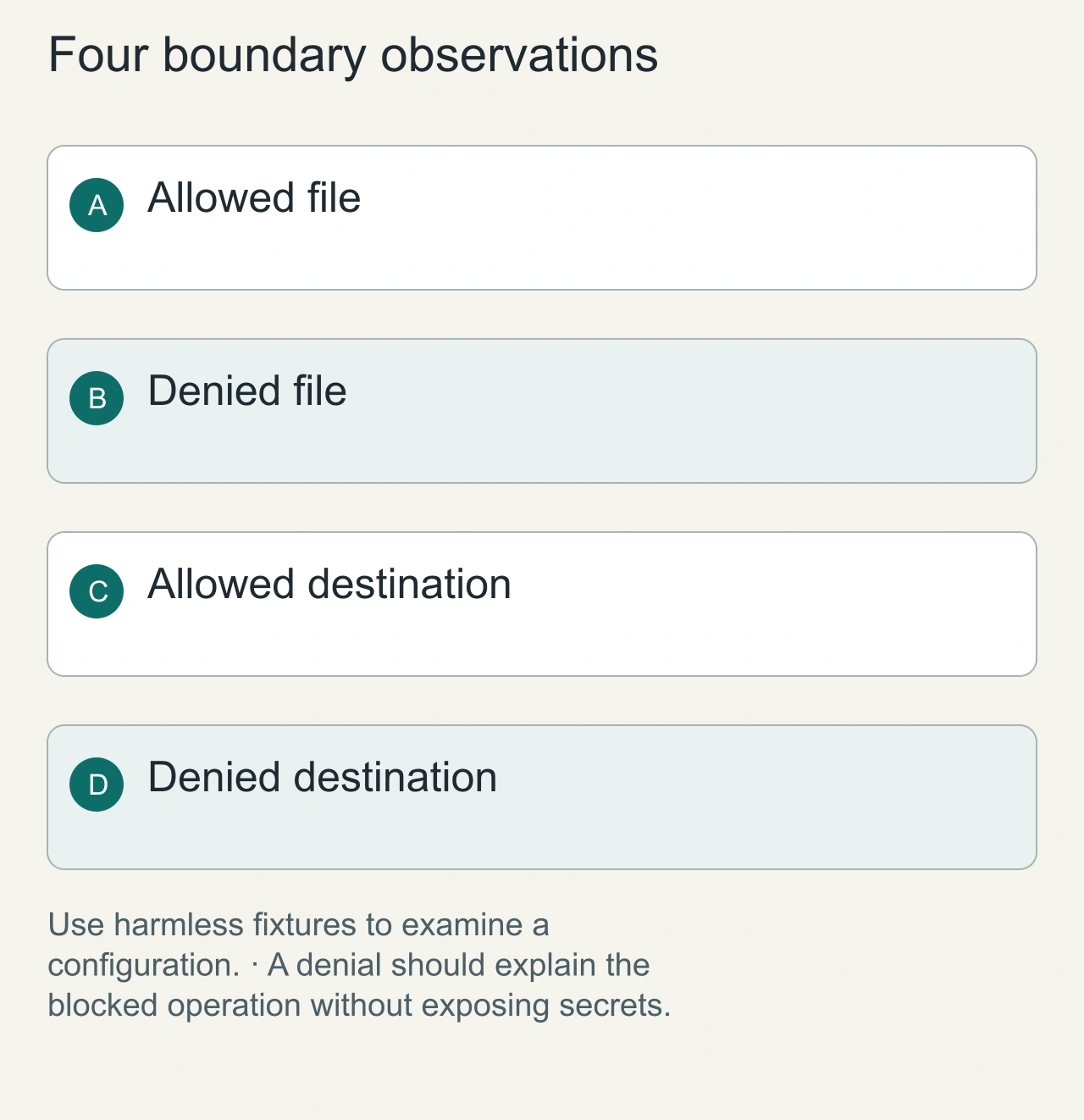
A useful design exercise includes harmless positive and negative cases: reading a permitted fixture, attempting to read a synthetic file outside the workspace, contacting an allowed test endpoint, and contacting a blocked dummy endpoint. Use synthetic data instead of real secrets. Those checks can show that a particular configuration enforces the intended boundaries; they cannot prove immunity to every escape or prompt-injection path. We have not performed a live penetration test for this article, so the diagrams illustrate the review method rather than certified security results.
What GitHub's local sandboxing changes
According to GitHub, the generally available feature applies local restrictions to agent-initiated tools and commands, including configurable controls on file access, network connections and credentials. Policies may also apply to local MCP servers and language servers where supported. Enterprise settings can enforce organizational boundaries that individual users cannot weaken. Important qualification: supported capabilities and precise setup vary by Copilot surface, operating system and policy configuration. Read the current GitHub documentation for the actual settings available to your environment. General availability does not mean every application, extension or process on the machine is isolated.
A safe validation matrix for your own sandbox
Use a disposable repository and synthetic files. Do not probe third-party systems or sensitive data. Record the expected outcome before each test.
- Allowed repo read: ask the agent to summarize
src/example.ts; expected: allow. - Allowed test write: ask it to update a temporary file inside the workspace; expected: allow only where approved.
- Outside-workspace read: place a dummy file in a separate test directory; expected: blocked by a suitably restrictive policy.
- Outside-workspace write: request an edit to another dummy directory; expected: blocked.
- Network egress: ask a test tool to contact an intentionally controlled endpoint; expected: match the policy's allow/deny rule.
- Synthetic credential access: place a deliberately fake token where access should be denied; expected: blocked and never copied into logs.
- Policy enforcement: confirm a session cannot silently loosen enterprise-mandated restrictions. Capture the exact tool output, policy version, operating system and relevant logs. A single passing test does not prove complete isolation. Inspect possible child processes and tools launched outside the protected execution boundary.
Sandboxing versus containers versus virtual machines
Permission sandbox: often integrates closely with a developer's existing workspace while applying path and network restrictions. Host dependencies and integration behavior deserve careful review. Container: packages filesystem and runtime dependencies, but security depends on user privileges, mounts, kernel capabilities and network configuration. A privileged container with broad host mounts is not a meaningful safety boundary for secrets. Virtual machine: offers a stronger hardware-virtualized separation for many threat models but adds operational cost, setup time and file-sharing complexity. VM use is not a substitute for least privilege or network policy. Choose the boundary based on agent autonomy, data sensitivity, required tools and recovery needs. Take snapshots or git commits before agents work on important code.
Suggested team rollout checklist
- Define allowed directories, endpoints and credentials for a representative task.
- Enable policy enforcement and perform the synthetic tests above.
- Separate routine read-only work from code changes, deployments and destructive tasks.
- Review every code diff and require normal CI checks and branch protection.
- Log sandbox denials without retaining unnecessary sensitive content.
- Re-run validation after Copilot, OS, MCP or policy updates. Do not confuse a sandbox with code review. An agent may generate insecure but policy-compliant code, which still requires tests and human oversight.
Handle artifacts as carefully as execution
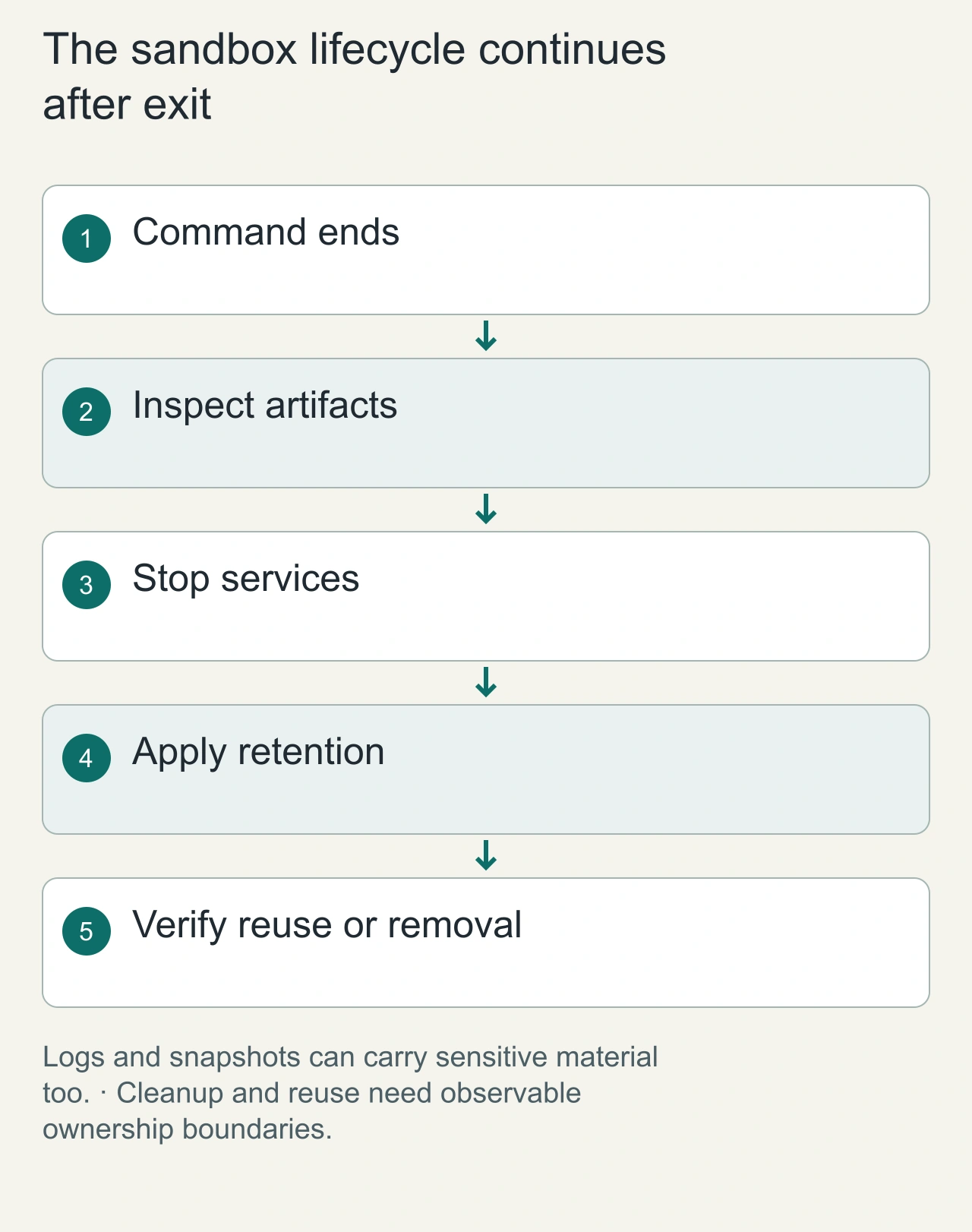
Isolation does not end when the command exits. The agent may leave build logs, generated files, preview links, snapshots, and temporary credentials. Decide which artifacts belong in the final patch and which should be deleted or retained privately. For the dependency repair, the deliverable can include the source diff and relevant verification output without publishing the entire environment. Examine logs before sharing them, because a tool error can print sensitive paths or configuration values even when the final code contains no secret.
Keep cleanup tied to the task identity. Stop temporary services, remove temporary network exposure, and account for retained volumes or snapshots. Preserve useful recovery artifacts until the owner can inspect the result, then apply the retention policy. If a sandbox is reused, verify that the previous task's files and identities cannot affect the next task. This operational work makes isolation meaningful across an entire lifecycle. A container that runs a command successfully but quietly retains another user's material has not met the same scope you intended at the beginning.
Frequently asked questions
Is local sandboxing generally available in Copilot?
Yes. GitHub announced general availability on October 7, 2026 for supported Copilot CLI, app, and VS Code Agent Host workflows.
Does local inference eliminate the need for a sandbox?
No. Inference location and file/network tool permissions are independent controls.
Can sandboxing prevent prompt injection?
It can constrain some consequences, such as disallowed file reads or network access. It does not guarantee that injected instructions cannot influence generated text or in-scope actions.
Has AiFolder verified every policy boundary?
No. This is a documentation-based security guide with a proposed safe test matrix, not a completed security audit or penetration test.
Related AiFolder reading
See the AI Hub, Developer Tools, and our guide to local models with Copilot CLI.
Sources
- GitHub — Local sandboxing for Copilot now generally available (October 7, 2026)
- GitHub Copilot documentation
- Source check: October 8, 2026. Risk examples and recommended tests are AiFolder's editorial framework; they are not results of live exploitation or product certification.